
 About Us
 Why K12?
 Safety Needs
 How Students Succeed
 FAQs
FAQs Online Elementary School
 Online Middle School
 Career and College Prep
 Online High School
 Student Clubs
 Career and College Services
 Inside the Online Classroom
 A Day in the Life
 Social & Extracurricular
 Advice, Tips & Inspiration
 Benefits for Life
 Enroll
 All School Options
 Need More Help?
504 Accommodations in Online School: What Parents Should Know
Learn how 504 accommodations support students in online school through flexibility, accessibility tools, and personalized learning support.

Table of Contents
Parents exploring online school often ask an important question early in the process: if my child has a 504 plan, can accommodations still be provided online?
In many cases, the answer is yes. Online schools may provide accommodations such as extended time, recorded lessons, flexible pacing, reduced-distraction testing environments, and communication supports designed to help students participate more actively in learning.
Understanding how 504 accommodations in online school work can help families ask informed questions, advocate effectively, and feel more confident when evaluating learning options. A 504 plan helps students access learning by reducing barriers related to a disability, medical condition, or learning challenge. While virtual learning environments operate differently from traditional classrooms, many of the same principles around accessibility and support still apply.
At the same time, accommodations may look different online than they do in a physical school building. Families considering virtual learning often benefit from understanding how support is delivered, what tools may be available, and how communication typically works in online settings.
What is a 504 plan?
A 504 plan is developed under Section 504 of the Rehabilitation Act of 1973, a federal civil rights law that protects individuals with disabilities from discrimination. In school settings, a 504 plan outlines accommodations that help eligible students access learning alongside their peers.
Unlike an Individualized Education Program (IEP), a 504 plan usually focuses on accommodations and accessibility support rather than specialized instruction. Students with 504 plans may need support for attention-deficit/hyperactivity disorder (ADHD), anxiety, dyslexia, diabetes, temporary injuries, or other conditions that affect learning.
The goal is to provide equitable access to education for all students. Families researching the differences between IEPs and 504 plans often discover that the two serve different purposes, even though both aim to support student success.
How 504 Accommodations Work Virtually
A virtual school 504 plan may include many of the same accommodations a student would receive in a traditional classroom but adapted for digital learning environments.
Many accommodations used in traditional classrooms can still be provided online, although they may look slightly different in virtual learning environments. For example, instead of preferential classroom seating, a student might receive:
- Reduced-distraction testing environments
- Flexible participation options
- Recorded lessons
- Modified pacing
- Digital accessibility tools
The specific accommodations typically depend on the student’s documented needs, the learning platform, available school supports, and course structure.
Online School Accessibility Matters
Online learning does not eliminate the need for accommodations. Students may still experience challenges related to attention, communication, processing speed, organization, sensory input, or physical accessibility. Online learning changes how support is delivered, but it does not eliminate the need for accommodations.
Collaboration Is Important
In online school, regular communication between families and educators becomes especially important. Families may communicate regularly with teachers, counselors, 504 coordinators, other Learning Coaches, or support staff through email, phone calls, progress reports, or virtual meetings.
Parents often need to communicate regularly with teachers, counselors, 504 coordinators, other Learning Coaches, and accessibility support staff.
How Accommodations Work in Online School
Online accommodations may look different in virtual environments, but the goal remains the same: helping students access learning more effectively and participate meaningfully in instruction. For example, a student who usually receives preferential seating in a classroom may instead use headphones, reduced-distraction testing settings, or recorded lessons in an online environment.
Depending on the student’s needs, accommodations may include extended time on assignments or tests, replayable recorded lessons, flexible scheduling supports, reduced-distraction testing environments, or alternative assignment formats. In many online programs, these supports are integrated into both the learning platform and day-to-day instruction.
Accessibility Tools and Learning Support in Online School
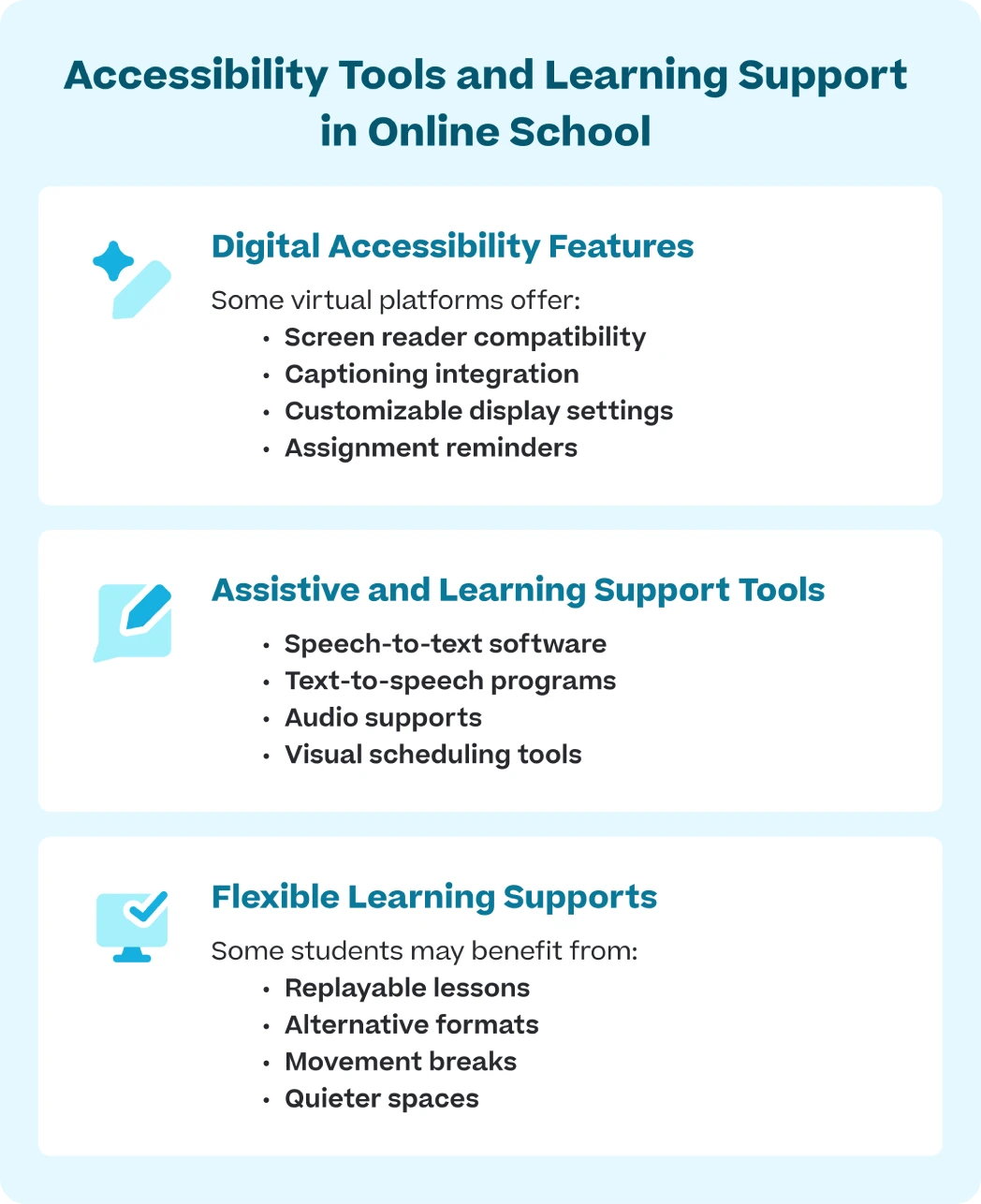
Online schools may use a combination of accessibility tools, platform features, and instructional accommodations to support different learning needs.
Digital Accessibility Features
Some virtual platforms offer:
- Screen reader compatibility
- Captioning integration
- Customizable display settings
- Assignment reminders
Many online platforms now include accessibility features directly within the learning environment, helping students navigate coursework more independently and confidently.
Assistive and Learning Support Tools
Some students may also use assistive technology to support reading, writing, organization, communication, or focusing during online instruction. This specialized technology often includes:
- Speech-to-text software
- Text-to-speech programs
- Audio supports
- Visual scheduling tools
Accessibility support for diverse learners often combines multiple tools and strategies rather than relying on a single solution.
Flexible Learning Supports
Even in online learning environments, physical surroundings can affect focus, participation, and emotional regulation. Some students benefit from quieter workspaces, movement breaks, flexible seating, or reduced visual distractions during lessons. For example, a student who becomes overwhelmed by noise or visual distractions may focus better in a quieter home workspace with fewer interruptions.
Some students may benefit from:
- Replayable lessons
- Alternative formats
- Movement breaks
- Quieter spaces
These types of flexible supports can help students participate more comfortably and focus more effectively during online learning.
Why Family Communication Matters in Online School
Because learning happens partially or fully at home, families may notice challenges more quickly than they would in traditional classrooms. Concerns may involve screen fatigue, pacing difficulties, frustration during assignments, emotional stress, or difficulty following directions independently. Parents may notice their child avoiding assignments, becoming frustrated during live lessons, struggling to stay organized, or needing more breaks throughout the day.
Regular communication with teachers and support staff can help address concerns early and ensure accommodations continue supporting the student effectively. Families should also feel comfortable asking questions, requesting clarification, and discussing whether adjustments may be needed over time.
Asking Questions Is Appropriate
Families should feel comfortable asking detailed questions about how accommodations work in online learning environments. Some important questions to consider include:
- How are accommodations used during instruction and testing?
- Who oversees 504 plans and accessibility support?
- How is student progress monitored?
- What happens if accommodations aren’t working?
- What accessibility tools are available?
Online schools vary widely in structure and support systems. Understanding the specifics matters.
Documentation and Follow-Up
As your child’s advocate, consider keeping records of:
- Meetings
- Emails
- Accommodation concerns
- Progress updates
Keeping organized records can help families track concerns, follow up on accommodations, and communicate more clearly with the school if questions arise.
How to Request 504 Accommodations in Online School
Families interested in online school accommodations should contact the school early in the enrollment process to ask about accessibility support and 504 services. In many virtual learning programs, parents work with teachers, counselors, 504 coordinators, or student support staff to discuss the student’s needs and determine what accommodations may help support learning online.
Depending on the school and the student’s situation, families may be asked to provide:
- Existing 504 plans
- Medical documentation
- Evaluation records
- Accommodation history
- Teacher recommendations
Some online schools may also schedule meetings with families to discuss how accommodations will work in virtual learning environments and what accessibility tools or supports are available. Because every online school operates differently, families should feel comfortable asking:
- How accommodations are implemented online
- How communication works
- Who oversees support plans
- How progress is monitored
- How concerns are addressed if accommodations are not effective
Understanding how accommodations are requested and implemented can help families feel more prepared when exploring online learning options. Since both IEPs and 504 plans can affect how support is delivered in virtual learning environments, it is also helpful to understand how those plans differ.
IEPs and 504 Plans Support Students Differently
Families sometimes confuse IEPs and 504 plans because both involve educational support, but they serve different purposes.
IEPs were developed under the Individuals with Disabilities Education Act (IDEA). IEPs may include:
- Specialized instruction
- Measurable learning goals
- Therapy or related services
- Formal progress monitoring
504 plans focus more on accessibility and accommodations that help students participate in general education courses. These supports may include instructional adjustments, accessibility tools, or environmental modifications that reduce barriers to learning.
Understanding the distinction can help families ask more targeted questions when evaluating online learning programs.
Different Students Thrive in Different Learning Environments
Some students thrive in online learning environments because of flexible pacing, quieter workspaces, predictable routines, or the ability to replay lessons. For example, some students focus better without crowded classrooms, loud hallways, or constant transitions throughout the school day. Other students may need more direct supervision, intensive intervention, or highly structured in-person support.
The most important question is not whether online learning is universally better or worse than traditional brick-and-mortar school. It is whether the learning environment matches your child’s individual learning needs, communication style, and support system.
Explore Online Learning Accommodations and Support
Families considering virtual education often want reassurance that accessibility and accommodations will still matter in online settings.
Learn how online schools support different learning needs through accommodations, flexible instruction, and personalized support.
Common Questions About Online Accommodations
Before enrolling in a virtual program, families may want to ask specific questions about online school accessibility and accommodations.
Helpful questions include:
How are accommodations implemented online?
Accommodations may be used during instruction, testing, assignments, communication, or daily coursework. Depending on the student’s needs, supports might include extended time, replayable lessons, reduced-distraction testing environments, alternative formats, or flexible participation options during live instruction.
What accessibility tools are built into the platform?
Some online learning platforms include captioning, screen-reader compatibility, adjustable display settings, text-to-speech tools, or organizational supports that help students participate more independently.
What happens if my child’s accommodations are not effective?
Student needs may change over time. Strong online programs should be willing to review concerns, adjust accommodations, and collaborate with families when accommodations are not working as expected.