 About Us
 Why K12?
 Safety Needs
 How Students Succeed
 FAQs
 Online Elementary School
 Online Middle School
 Career and College Prep
 Online High School
 Student Clubs
 Career and College Services
 Inside the Online Classroom
 A Day in the Life
 Social & Extracurricular
 Advice, Tips & Inspiration
 Benefits for Life
 Enroll
 All School Options
 Need More Help?
What is Virtual Learning? A Complete Guide
Discover what virtual learning means for K-12 students. Learn how online schooling works, the benefits and how to enroll in virtual learning for your child.
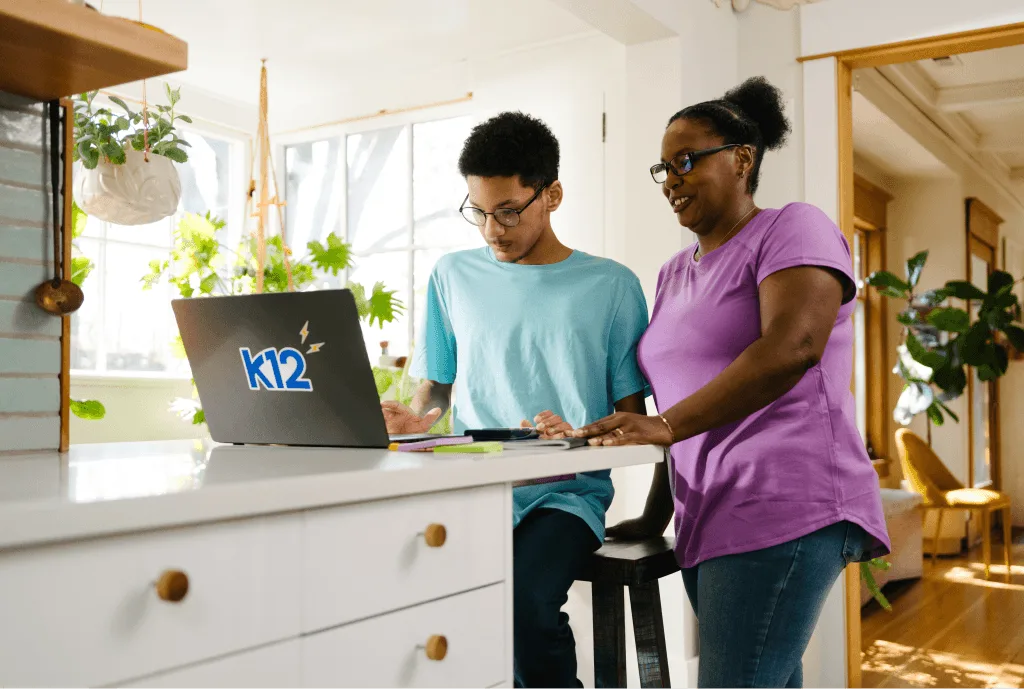
Table of Contents
Virtual learning is K–12 education delivered primarily through online platforms rather than traditional classrooms. Students complete coursework, interact with teachers, and progress through the K–12 curriculum digitally from home or anywhere with internet access. State-certified teachers provide instruction through live video sessions and recorded lessons, while parents serve as learning coaches to support their child’s daily routine.
How does virtual learning work?
Virtual learning combines online instruction with hands-on activities. Students log in to learning platforms each day to attend live classes, watch recorded lessons, and complete assignments. Unlike college online courses, K–12 virtual programs provide more structure and require parent involvement, especially for younger students.
Most virtual schools follow this daily pattern:
- Morning live classes with teachers and classmates through video conferencing
- Independent work time for assignments and practice
- Offline activities like reading physical books, science projects, and written work
- Regular teacher check-ins and feedback on progress
The school day typically lasts 4 to 6 hours for elementary students and 5 to 7 hours for middle and high schoolers. Parents don’t teach the curriculum; certified teachers handle instruction. Parents serve as learning coaches, helping with organization, technology, and staying on track.
How do virtual schools deliver instruction?
Virtual schools use learning management systems as their digital hub. These platforms organize lessons by subject, track attendance, display assignments, and facilitate communication between students, teachers, and parents. Students access everything they need in one place.
- Teachers provide instruction through multiple methods.
- Live sessions allow real-time interaction where students ask questions and participate in discussions.
- Recorded lessons let students learn at their own pace, pausing and rewatching as needed.
- Interactive activities and assessments help students practice skills and demonstrate understanding.
Virtual schools blend synchronous and asynchronous learning. Synchronous learning means attending live classes at scheduled times, providing structure and social connection. Asynchronous learning means working independently on your own schedule, offering flexibility. Most programs combine both approaches to balance structure with personalization.
What are the benefits of virtual learning?
Virtual learning offers advantages that traditional schools cannot match. Understanding these benefits helps families determine if this approach fits their needs.
- Personalized Learning and Flexible Pacing: Students work at their own speed in each subject. Those who need extra time can take it without pressure. Advanced learners can move ahead without waiting for classmates. Teachers monitor progress closely and provide targeted support when students struggle.
- Safe and Comfortable Environment: Learning from home eliminates concerns about bullying, peer pressure, and physical safety. Students with anxiety and stress can focus on academics in a calm, secure space. Families avoid exposure to illnesses while maintaining educational continuity.
- One-to-One Teacher Support: Virtual learning often provides more individualized attention than traditional classrooms. Teachers can review work asynchronously and provide detailed feedback. One-to-one video conferences address specific challenges without time constraints. Students who hesitate to raise their hands in crowded classrooms often feel more comfortable asking questions virtually.
- Flexible Scheduling: Families can create routines that work for their unique circumstances. Students can complete coursework during their peak focus hours. This flexibility benefits competitive athletes, student performers, traveling families, and those with medical appointments or other commitments.
- Diverse Course Offerings: Virtual schools offer extensive course catalogs beyond what local schools provide. Students access Advanced Placement® courses, specialized electives, and career-focused programs regardless of their ZIP code. This ensures every student can pursue their interests and challenge themselves appropriately.
Is virtual learning right for your child?
Virtual learning works well for many families, but it’s not the right fit for everyone. Honest assessment helps you make an informed decision. Characteristics that indicate virtual learning is a good fit:
- Shows independence and self-motivation to start work without constant reminders
- Can manage time and meet deadlines with age-appropriate support
- Feels comfortable using technology purposefully
- Needs flexibility due to health, athletics, or other commitments
- Prefers working independently in quieter environments
- Asks questions and seeks help when needed
Parent Commitment Requirements: The learning coach role varies by grade level. Elementary students need 4 to 6 hours of daily parent support to log in, stay focused, and complete work. Middle schoolers need 1 to 3 hours for check-ins and organizational support. High schoolers work mostly independently but benefit from weekly progress reviews and accountability.
Working parents can support virtual learning through structured routines and planned check-ins rather than all-day supervision. Some families designate grandparents, older siblings, or caregivers as learning coaches when parents aren’t available.
Technology Requirements: Virtual learning requires a computer with a webcam and microphone, reliable high-speed internet, and basic software. Many public virtual schools provide computers to enrolled families. Minimum internet speeds typically range from 10–25 Mbps download speed per student.
Common Concerns Addressed: Parents often worry about socialization, screen time, and their ability to support online learning. Virtual schools offer clubs, group projects, and optional in-person events for social connection. Families should actively facilitate friendships through extracurricular activities and community involvement. Screen time needs to include breaks and offline activities to balance digital learning. Remember, you’re not teaching; certified teachers provide instruction while you support routines and organization.
Get Started With Virtual Learning
Ready to explore virtual learning for your child? K12 makes it easy to find the right online school option with specialized school finder tools designed to match your family’s needs.
Find Schools in Your Area
K12 provides multiple school finder resources, each designed to help you search by school type and grade level:
General School Finder
Compare K12-powered school options by location, school type, and grade level to identify programs that match your child’s educational needs.
- K12 School Finder: Explore all available options in your area, including both public and private schools across all grade levels.
- Public School Options: Search for K12-powered public schools in your state. These schools follow state academic standards.
Grade-Specific School Finders
Narrow your search by your child’s grade level, from elementary through high school, or compare private online school options.
- Elementary School Finder: Find online public elementary schools serving grades K–5.
- Middle School Finder: Discover online public middle schools for grades 6–8.
- High School Finder: Search for online public high schools offering grades 9–12.
- Private School Finder: Explore K12 Private Academy if you’re looking for a tuition-based program with flexible scheduling and personalized support.
How to Use the School Finder Tools
Start by entering your zip code or selecting your state. You’ll see a list of available schools with key details like grade levels served, program types, and enrollment status. Each school listing includes information on curriculum, teacher support, and provided technology.
Compare multiple schools side by side. Look at factors like live class schedules, extracurricular offerings, and parent involvement expectations. Most school pages include virtual tour options and contact information for enrollment consultants.
How to Begin Enrollment
Once you’ve identified schools that interest you, attend virtual information sessions to see the learning platform in action. Ask questions about accreditation, teacher qualifications, and daily schedules. Enrollment consultants can walk you through the application process and answer questions about technology requirements.
The school finder tools also provide details about enrollment timelines and required documents, helping you prepare for a smooth transition to virtual learning.
Start your search today to find the K12-powered school that’s the right fit for your child’s learning journey.
Taking the Next Step in Your Virtual Learning Journey
Virtual learning offers personalized education, flexible scheduling, and safe environments for K–12 students. It works best when students show independence, families can provide learning coach support, and technology requirements are met. The approach isn’t right for every family, but for those whose circumstances align with what virtual learning offers, it provides genuine advantages.
Explore K–12 virtual learning programs in your area to see if this approach could work for your family. Many schools offer information sessions where you can ask questions and see the learning platform firsthand.